CAPRA
Takes a film apart — shots, scenes, cast, dialogue, sound — and writes back a screenplay you can trace, line by line, to the frame it came from.
What it does
Six ways into the same film
Every page is a view onto one analysis. Nothing is a report you read once — the timeline, the playhead and the selection are shared, so following something from a line of the script to the second it came from is one click in any direction.
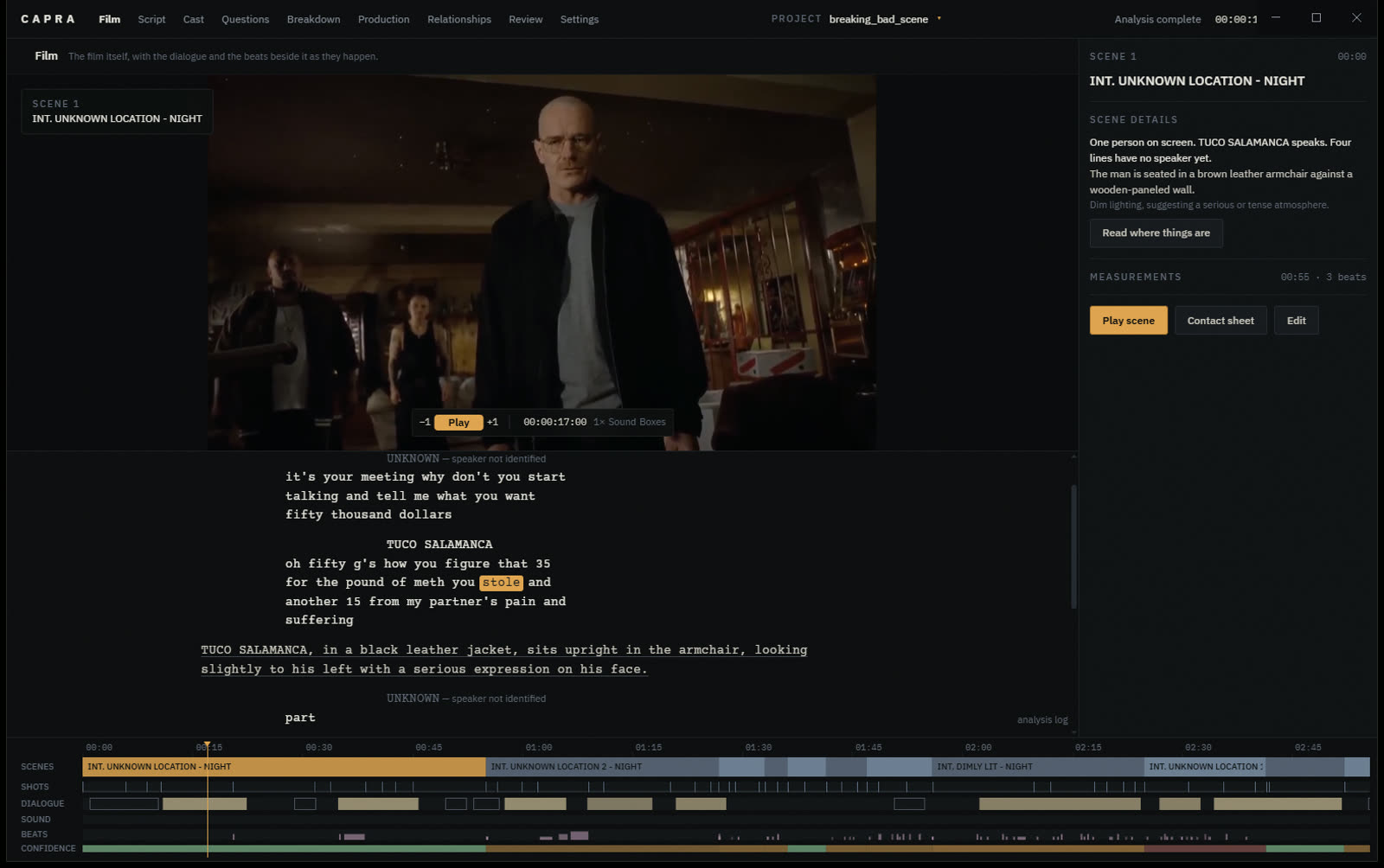
Film
The film, the beats and dialogue beside it as they happen, and every track of the analysis underneath. Speech reads at full weight and what the camera saw a step back from it, so you can follow one without reading the other.
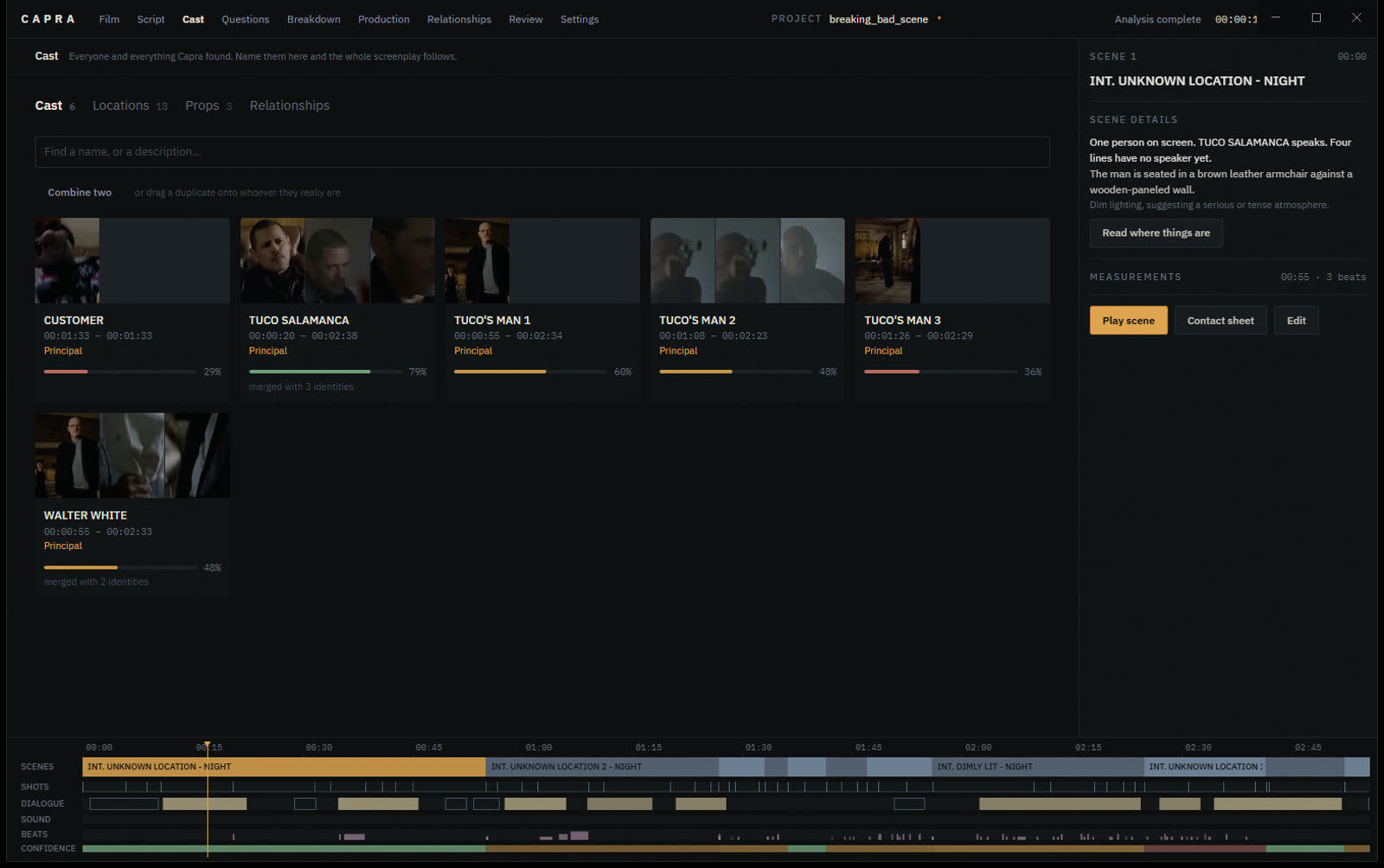
Cast
Everyone Capra found, named first, with the frames each of them was found in. Principals, supporting parts and extras are told apart automatically — nobody is ever asked to name a passer-by. Drag one card onto another to say they are the same person.
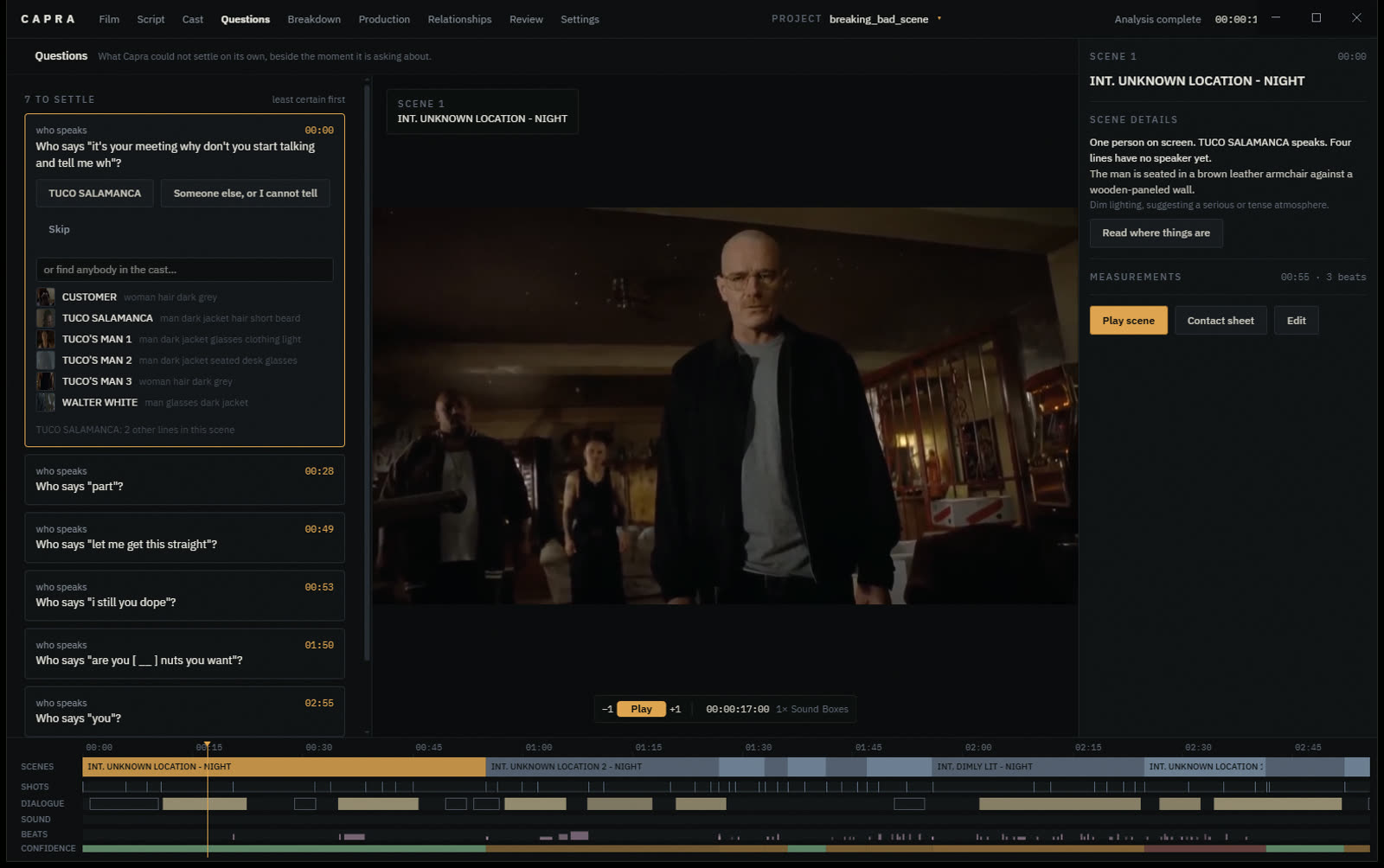
Questions
What Capra could not settle, asked beside the moment it is about, with the film playing. Every answer changes the script: a merge collapses two cards everywhere, an attribution rewrites the character cue on the page. It learns where your line falls and stops asking about pairs you have already refused.
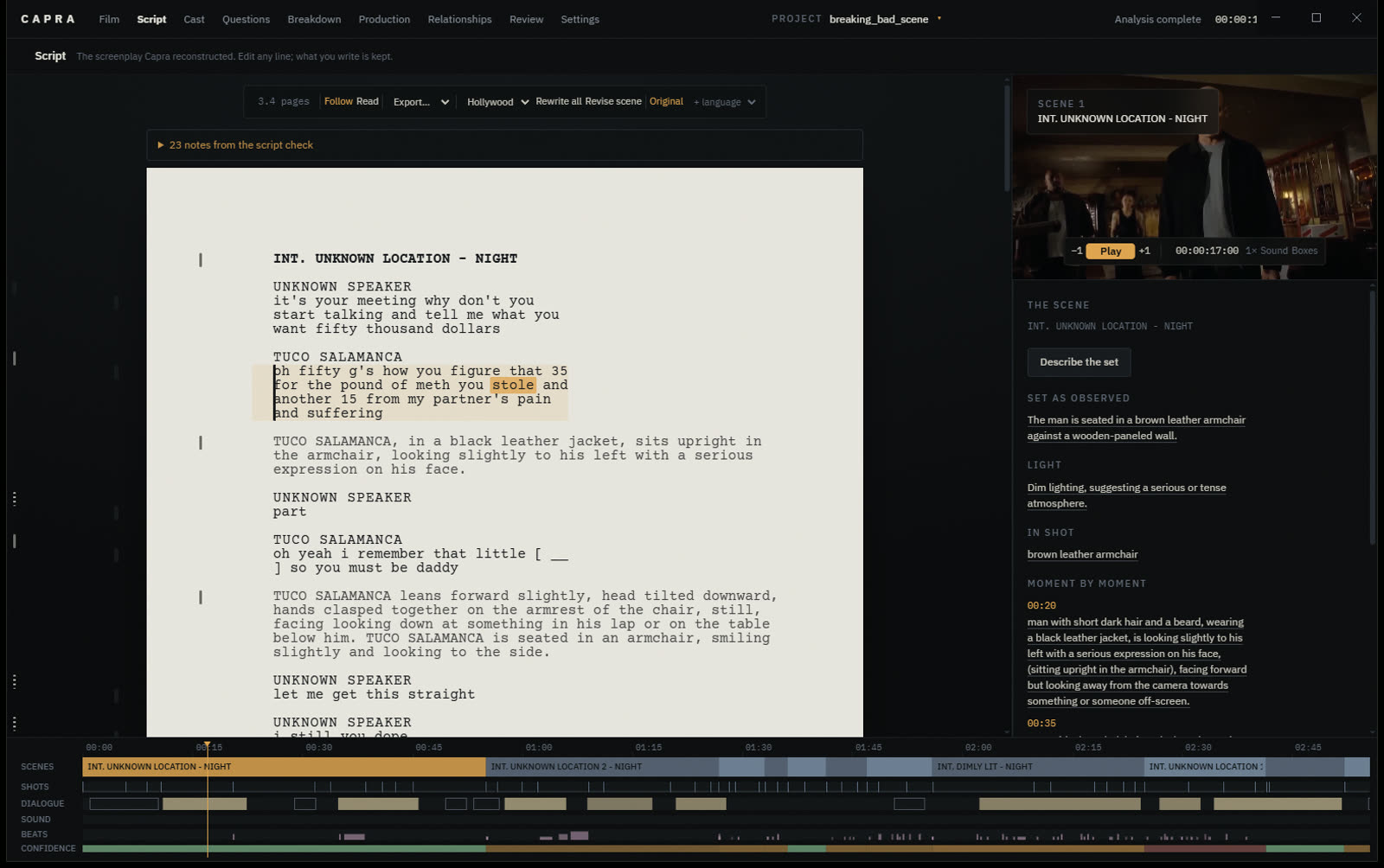
Script
The screenplay on paper, with the film beside it. Click any line and it plays the seconds it came from. Edit anything — what you write survives every rewrite — and the rail in the margin says how much of each line Capra stands behind.
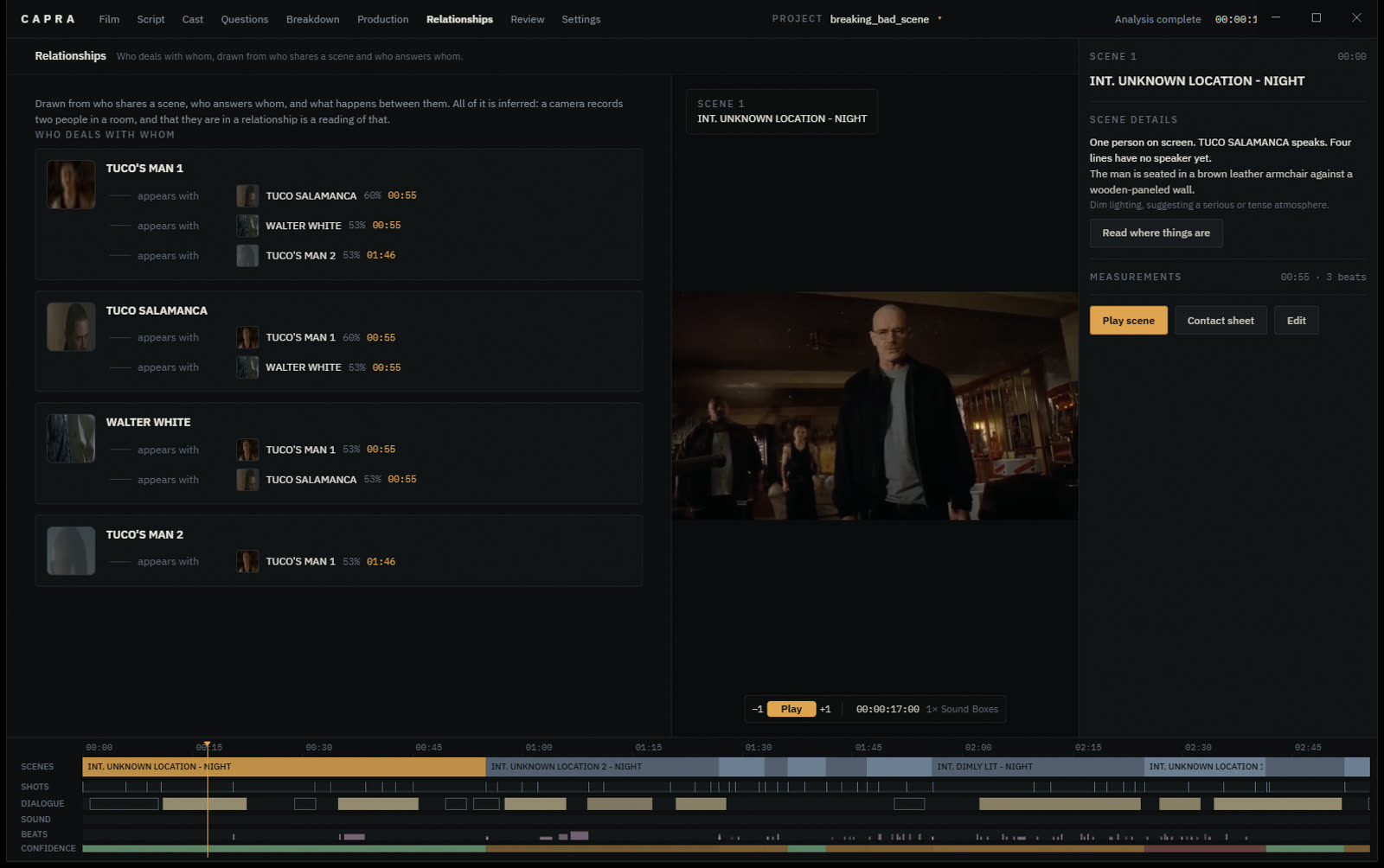
Relationships
Who deals with whom, drawn as faces with the weight of the claim between them. Click a relationship and the seconds it rests on play beside it, because an edge saying two people fight is a reading of a few seconds of footage.
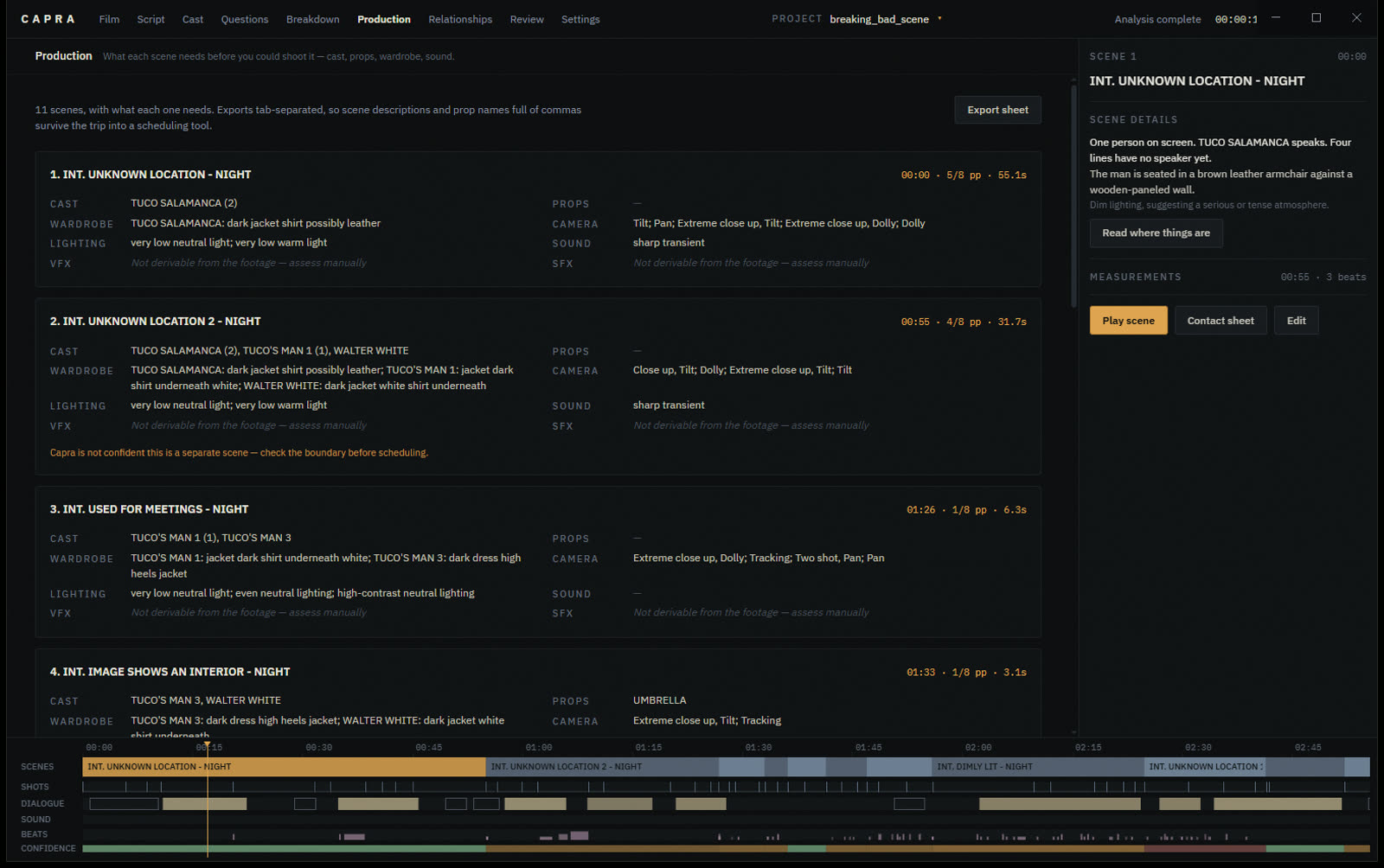
Production
What each scene needs before you could shoot it: cast, wardrobe, props, lighting, camera, sound, and its length in eighths of a page. Exports tab-separated for a scheduling tool. VFX and SFX are reported empty rather than guessed at.
Quick start
Bring a video and a model
Install Capra
Download the installer, or build it yourself:
npm install
npm run dev          # run it
npm run dist         # build an installer
Install ffmpeg
Capra will not run without it. It is not bundled: builds vary in licensing, and most people working with video already have one.
winget install ffmpeg      # Windows
brew install ffmpeg        # macOS
sudo apt install ffmpeg    # Debian / Ubuntu
Point it at a model — local
Free, private, and slower. Install LM Studio or Ollama, load a vision model, then press Find local servers in Settings.
| Role | Model | Notes |
|---|---|---|
| Vision | qwen2.5-vl-7b |
About 6 GB of VRAM. What this project was developed against. |
gemma-3-12b-it |
Better at text inside the frame, wants more room. | |
| Text | any 8–27B instruct | Optional. Without one, Capra assembles the script from what it measured rather than having a model write it. |
A 7B vision model and a 27B text model will not both fit on a 12 GB card. Load the vision model and let it take both roles, or point the text role at a cloud provider — they are configured independently.
Or a cloud provider
Settings → Add Google Gemini, Add OpenAI or Add OpenRouter. The URL is filled in; paste a key and pick a model from the list it fetches.
Your key is encrypted with the operating system's own keystore — DPAPI on
Windows, Keychain on macOS — and never leaves the main process.
Vision against a cloud provider is the single biggest speed-up available:
those calls are latency rather than compute, so they overlap. A pass that
takes forty minutes on one local GPU takes a few minutes remotely.
Open a video
The analysis runs in stages and nothing waits for the end. Scenes appear as they are found, the cast fills in, and the screenplay is written scene by scene while you watch.
How it thinks
Three layers, kept strictly apart
Conflating them is how a tool like this starts producing confident nonsense. So they never touch: observations are append-only and never rewritten by a model, and an inference is never shown as an observation.
- Raw media
- The file and its measurable properties.
23.976 fps · 3840×2160 · H.265 - Observation
- Something Capra can point at, with a timecode.
00:12:31 — a person is at the door - Interpretation
- What was concluded from it.
"Ahmet opens the door." — inferred, 78%
The distinction is carried in the typography rather than in badges. Something observed is set solid, something inferred takes a hairline, and a guess takes a dotted one — so a page can be read for how much of it is known without reading a single confidence figure.
Your edits are authoritative. Rewriting the screenplay rebuilds everything except what you wrote, and Ctrl-Z takes back the last thing you did — a name, an attribution, a line.
Who made it
Emre Yavuz
Capra is built and maintained by Emre Yavuz.
It started from a straightforward question — if a camera recorded everything that happened, how much of the screenplay can be recovered from the recording? — and most of the work since has been in the difference between an answer and a confident one. The interesting problems have not been the models. They have been the places where a piece of software is tempted to fill a gap: a character invented out of one blurred frame, a line credited to whoever was nearest, a room furnished from nothing. Capra says it cannot tell instead, and asks.
The whole thing is open source under the MIT licence, and the issues and pull requests are open. If you point it at a film and it gets something wrong, that is worth an issue — a wrong answer with a timecode on it is the most useful thing anybody can send.